
AI-Written Black Friday Emails: A CAN-SPAM and Gmail Checklist (2026)
AI can draft your Black Friday emails, but the legal risk is in the subject line, the "was" price and the footer. Here is a pre-send checklist built from the FTC's CAN-SPAM guide, its pricing guides and Gmail's sender rules.
If you use AI to draft Black Friday emails, the AI part is not the legal risk. The risk is what the email says and how it is sent. In the United States, a marketing email has to follow the CAN-SPAM Act no matter who or what wrote it, Gmail has its own sender requirements, and the FTC's pricing guides say a "was $100, now $60" claim is only honest if the old price was real. A language model will happily write a subject line that breaks any of these, so the checking has to be yours.
Black Friday falls on November 27, 2026, with Cyber Monday on November 30, and the early-deal season has started: Walmart published its sale dates on October 26 (reported by AL.com), and AI-tool deal roundups were already circulating that week. This guide turns the official rules into a pre-send checklist, then shows how to prompt an AI tool so its drafts start closer to compliant. It is a plain-English summary of public sources, not legal advice.
The Short Answer
- CAN-SPAM covers every commercial email. The FTC says the law is not limited to bulk email and makes no exception for business-to-business messages.
- Penalties are per email. The FTC's compliance guide says each separate violating email can draw penalties of up to $53,088.
- The subject line must match the message. An AI-written "Your order has shipped" that is really a sale pitch is a deceptive subject line.
- "Was" prices need a real history. Under the FTC's Guides Against Deceptive Pricing, the former price must be one actually offered to the public on a regular basis for a reasonably substantial period.
- Gmail adds its own rules. Authentication, a low spam rate and, for large senders, one-click unsubscribe.
Part 1: The CAN-SPAM Requirements
The FTC's "CAN-SPAM Act: A Compliance Guide for Business" lists eight requirements. The first seven are the ones an email draft has to satisfy before it leaves your tool:
- Accurate header information. "From," "To," "Reply-To" and routing details, including the originating domain and address, must be accurate and identify who sent the message.
- No deceptive subject lines. The subject must accurately reflect the content of the message.
- Identify the message as an ad. The law gives leeway in how, but the disclosure must be clear and conspicuous.
- Include your valid physical postal address. A current street address, a post office box registered with the U.S. Postal Service, or a private mailbox registered with a commercial mail receiving agency all count.
- Explain how to opt out. A clear, easy-to-read notice, plus a reply address or another easy internet-based way to opt out. You may offer a preferences menu, but it must include an option to stop all marketing messages from you.
- Subscribers and members can opt out too. A subscription or membership does not remove the right to unsubscribe from marketing emails.
- Honor opt-outs promptly. Your opt-out mechanism must keep working for at least 30 days after you send, and you must honor a request within 10 business days, without charging a fee or asking for more than an email address.
The eighth requirement matters if you use an agency, a freelancer or an AI automation to send: you cannot contract away your responsibility. The FTC says both the company whose product is promoted and the company that sends the message may be held legally responsible.
Part 2: Where AI Drafts Go Wrong
These are the failure patterns to look for in AI-generated promotional copy, matched to the rule they usually break:
| What the AI wrote | The problem | Safer version |
|---|---|---|
| Subject: "Re: your account" on a sale email | Fake reply or order-status framing misleads. Google's guidelines also say not to start subjects with Re: or Fwd: unless the message is a real reply or forward. | "Our Black Friday sale starts Friday" |
| "Was $199, now $99" with no pricing history | A former price that was never really offered is a fictitious comparison. | State the real previous price, or say "Black Friday price: $99" |
| "Everyone is switching" or "thousands of happy customers" | Unsupported claim. AI tools fill gaps with plausible numbers. | Use only a figure you can back up, or leave it out |
| "Last chance!" when the sale actually runs for a week | False urgency that does not match the offer. | Use the real end date and time, with a time zone |
| No address, buried unsubscribe link | Misses the postal address and clear opt-out requirements. | Footer with address and a visible unsubscribe link |
| Discount percentage that applies only to some products | An overstated headline offer. | Name the exclusions next to the offer, not in a distant footnote |
Part 3: The "Was" Price Rule
Black Friday is the season of crossed-out prices, so this one deserves its own section. The FTC's Guides Against Deceptive Pricing (16 CFR Part 233) say that reducing from your own former price is legitimate only if the former price was "the actual, bona fide price at which the article was offered to the public on a regular basis for a reasonably substantial period of time." If the old price was artificial, inflated so a later cut looks big, the guide calls the bargain "a false one."
The guide's own example is a retailer who sells pens at $7.50, lists them at $10 for a few days, then advertises "Were $10, Now Only $7.50." It calls that "obviously a false claim." The guide also says a vague "Sale" claim should not rest on a reduction so small as to be meaningless, and that "Reduced to $9.99" from $10 misleads shoppers who expect more.
For AI-drafted copy, the practical rule is simple. Never let a tool invent or round a previous price. Paste in the real figures and dates from your own records, and tell the tool to use only those.
Part 4: Gmail's Sender Requirements
Passing CAN-SPAM does not guarantee delivery. Google's Email sender guidelines say that since February 1, 2024, anyone sending to personal Gmail accounts must meet a baseline:
- Set up SPF or DKIM authentication for the sending domain, with valid forward and reverse DNS records.
- Use a TLS connection to transmit email.
- Keep the spam rate reported in Postmaster Tools below 0.3%.
- Format messages to the Internet Message Format standard (RFC 5322) and do not impersonate Gmail From: headers.
Senders of more than 5,000 messages a day to Gmail accounts also need SPF, DKIM and DMARC, From-domain alignment, and one-click unsubscribe for marketing and subscribed messages, plus a clearly visible unsubscribe link in the body. Google's guidance also warns against using emojis or images next to display names to imply verification, and against hiding content with HTML or CSS.
The timing matters for a sale. If your list is large and you only email at Black Friday, a sudden spike from a domain that has been quiet is a poor moment to discover your authentication is incomplete. Check it before the campaign, not during.
Part 5: A Prompt That Starts Closer to Compliant
A good prompt supplies the facts and the guardrails, so the model has nothing to invent. Adapt this template (it builds on the parts in our AI prompt writing formula):
Write three subject lines (under 50 characters) and one 120-word promotional email for [product]. Offer: [exact offer], valid [start date] to [end date, time zone]. Previous price: [price, the dates it was charged]. Use only these facts. Do not invent statistics, testimonials, urgency or discounts. Do not use "Re:", "Fwd:" or order-status wording. Make the sale purpose clear in the first line. Leave a placeholder for the postal address and unsubscribe link. Plain, friendly tone, one call to action.
Then edit the output yourself using the AI content editing workflow: read it as a skeptical customer, confirm every number against your records, and cut anything you cannot prove. Our guide to AI content briefs covers what to settle before you prompt, and how to fact-check AI content gives a quick verification routine. For general structure and cadence, see our email newsletter writing tips.
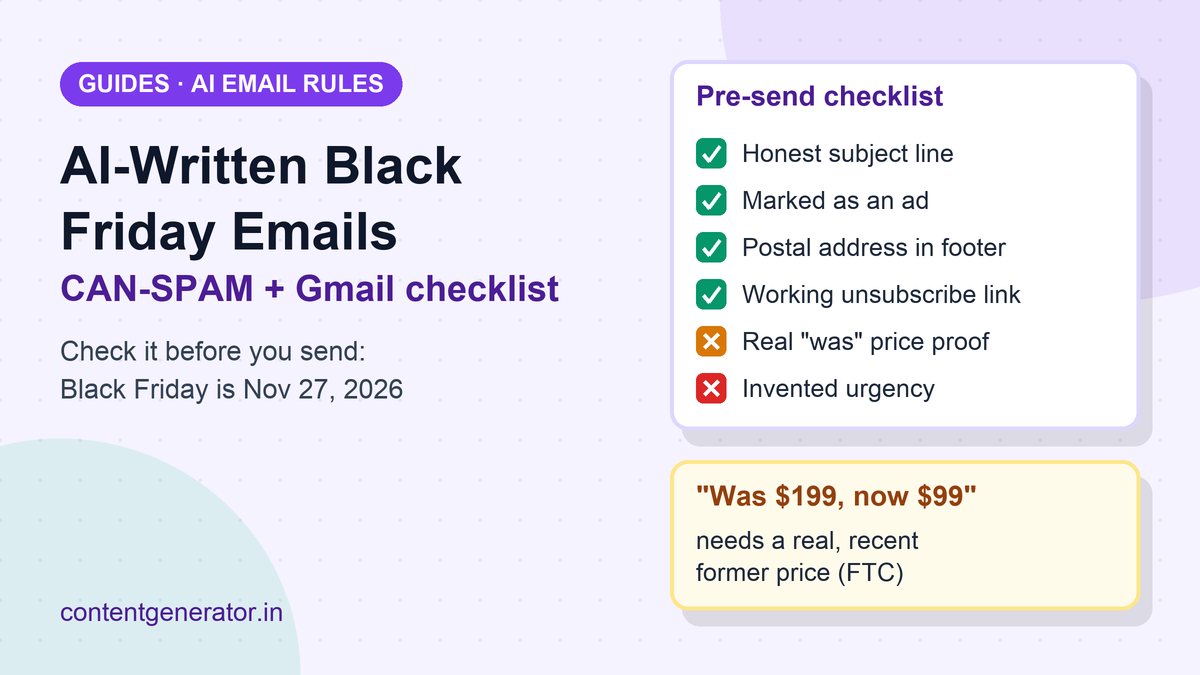
Pre-Send Checklist
- The subject line describes what is inside. No fake replies, order updates or alerts.
- The email is clearly an ad (a line such as "This is a promotional email" is enough for most senders).
- Every price, date and exclusion matches your own records, and any "was" price was a real, recent price.
- No invented testimonials, customer counts or ratings.
- The From name and address are accurate and match the sender domain.
- A valid physical postal address is in the footer.
- A visible unsubscribe link works, and one-click unsubscribe is on if you send at volume.
- Your suppression list is applied, so people who opted out earlier are not emailed.
- SPF, DKIM and, for large sends, DMARC pass in a test message to a Gmail account.
- If you include affiliate links or reviews, the disclosures from our FTC guide for AI-written reviews and affiliate content are in place.
FAQ
Do the rules apply if an AI tool sends the email for me?
Yes. The FTC says you cannot contract away your legal responsibility to comply, even when another company handles your email marketing. The same logic applies to an automated tool you configure.
Do I have to say an email was written with AI?
The CAN-SPAM requirements in the FTC guide concern headers, subject lines, ad identification, address and opt-out. They do not include an AI label. Your claims still have to be true, whoever or whatever wrote them.
Does CAN-SPAM apply to B2B or small-list emails?
Yes. The FTC says the law covers all commercial messages and makes no exception for business-to-business email.
What if my sale email also confirms a customer's order?
The FTC says that when commercial and transactional content are mixed, the deciding factor is the primary purpose. If the subject line suggests an ad, or the transactional part is not mainly at the start, the message is treated as commercial.
Sources (checked October 31, 2026): Federal Trade Commission, CAN-SPAM Act: A Compliance Guide for Business; Electronic Code of Federal Regulations, 16 CFR Part 233, Guides Against Deceptive Pricing; Google, Email sender guidelines; AL.com, "Walmart is spreading out the Black Friday deals" (October 26, 2026) for the seasonal context. Not legal advice; consult a lawyer for your specific campaign.
Frequently asked questions
Do the rules apply if an AI tool sends the email for me?
Yes. The FTC says you cannot contract away your legal responsibility to comply with CAN-SPAM, even when another company handles your email marketing. Both the company whose product is promoted and the company that sends the message may be held responsible.
Do I have to say an email was written with AI?
The CAN-SPAM requirements in the FTC's guide cover headers, subject lines, ad identification, postal address and opt-out. They do not include an AI label. Your claims still have to be true, whoever or whatever wrote them.
Does CAN-SPAM apply to B2B or small-list emails?
Yes. The FTC says the law covers all commercial messages and makes no exception for business-to-business email.
What if my sale email also confirms a customer's order?
When commercial and transactional content are mixed, the primary purpose decides. If the subject line suggests an ad, or the transactional content is not mainly at the start, the FTC treats the message as commercial.