
Writing Tools vs Write with Siri on iPhone: What Each Does (iOS 27)
Apple has two AI writing helpers on iPhone. Here is what Writing Tools and Write with Siri each do, which iPhones get them, what Apple says about limits, and how to switch them off.
Writing Tools and Write with Siri are two different ways Apple's AI helps you write on iPhone, and which one you see depends on your phone and your settings. Writing Tools is the older, text-selection feature: highlight text, then proofread it, rewrite it in a different tone or summarize it. Write with Siri arrived with iOS 27 and needs Siri AI (Beta): you describe what you want, and Siri drafts it, rewrites it or tells you how it reads. Apple's own support pages say that if you do not have Siri AI, you use Writing Tools instead. This guide explains what each one does, who can use it, what Apple says about limits and privacy, and how to use them without letting a machine write your final copy.
A note on method: everything below comes from Apple's iPhone User Guide and Apple Intelligence pages, linked in the sources and checked on November 4, 2026. We have not run a hands-on test, so we make no claims about writing quality. Apple changes these features often, so confirm what your own phone shows.
The Short Answer
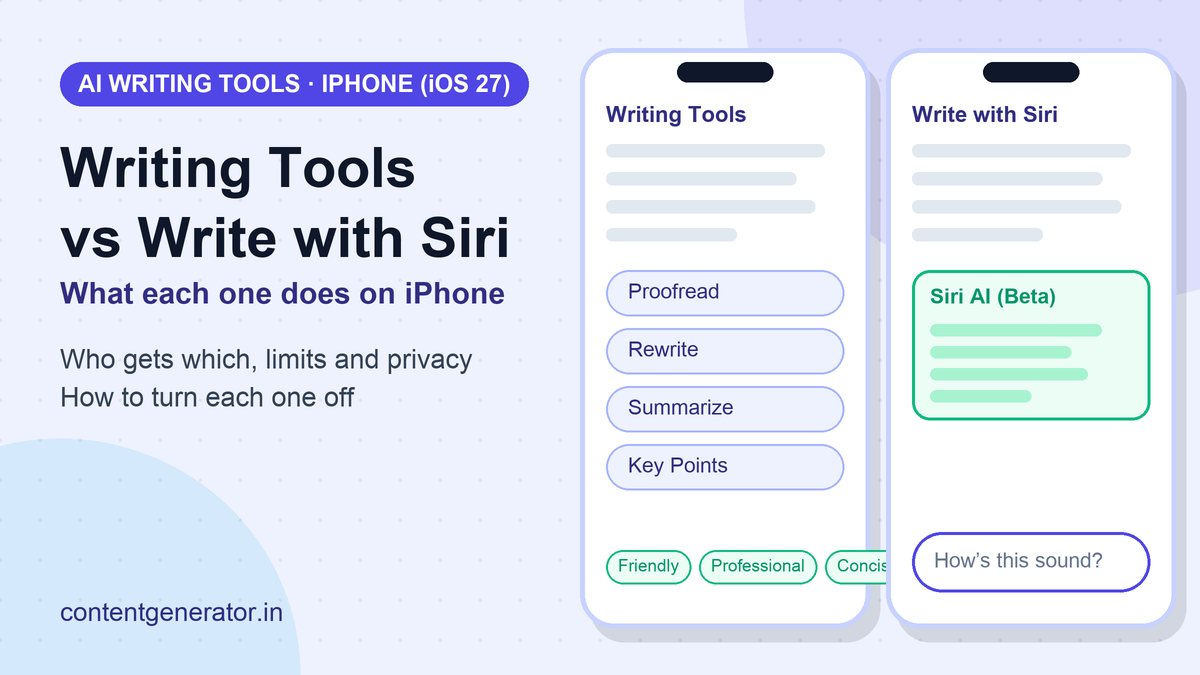
- Writing Tools: you select text, tap the Writing Tools button, then choose Proofread, Rewrite (Friendly, Professional or Concise, or "Describe a change") or Summarize / Key Points. Apple says it is available in most places you write, including third-party apps and websites.
- Write with Siri: with Siri AI turned on, you can ask Siri to compose a draft from scratch, rewrite, proofread, summarize, or give feedback with a prompt like "How's this sound?"
- Who gets which: Siri AI is a beta on iOS 27 or later and needs an Apple Intelligence-enabled iPhone 15 Pro, iPhone 15 Pro Max or any iPhone 16 or later. Everyone else with Apple Intelligence uses Writing Tools.
- Limits: Apple says features that rely on server-side models, Siri AI included, have daily usage limits and that expanded access "will be available for a fee in the future."
- Can you turn it off? Yes. Apple's guide says to open Settings, tap Siri, scroll down and tap Turn Off Siri, or switch to Siri Classic.
What Writing Tools Does
Writing Tools is the feature most people mean when they ask "what is Writing Tools on iPhone?" Apple describes it as a way to write text and rewrite selected text to find the right wording and tone, plus proofread and summarize documents. You work on text you have already typed or are reading:
- Proofread: checks grammar and spelling. In Apple's iOS 26 guide, changes are underlined, and you can view an explanation for each one, discard a change with Use Original, or flip between the original and updated versions.
- Rewrite: creates another version of the same text. You can pick a tone (Friendly, Professional or Concise) or type your own instruction, such as "make this more enthusiastic." You can try the rewrite again or revert to your original.
- Summarize and Key Points: condenses selected text into a short summary or bulleted points. The iOS 26 guide also lists List and Table options that reorganize your original text, and lets you copy or replace the text with the result.
- Compose with ChatGPT (optional): if you turn on the ChatGPT extension, you can describe what you want ChatGPT to write. Apple says you choose what content to send, and that your request, attachments and limited data such as time zone, country, device type and language are sent to ChatGPT.
On the Apple Intelligence overview page, Apple also lists automatic proofreading: grammar and spelling checks and suggestions "virtually anywhere you type," as part of the iOS 27 release.
What Write with Siri Adds
Write with Siri is part of Siri AI (Beta), Apple's conversational assistant in iOS 27. Apple's guide says you can either select text, tap the button and describe what you want, or activate Siri and ask out loud or by typing. The examples Apple gives are useful for writers because they show the intent each mode is built for:
- Draft from scratch: "Write a day-by-day itinerary for a 3-day trip to New York."
- Proofread and rewrite: "Proofread this," or tidy a recipe and format it step by step.
- Get feedback: "How's this sound?"
- Summarize: "Condense these meeting notes to give me key points."
After Siri answers, Apple says you can swipe down on the response to start a conversation, ask follow-up questions and refine the work. On its Apple Intelligence page, Apple adds that in Messages and Mail, Siri AI can match your writing style, punctuation and tone. Apple also says you can choose which Siri features you can use, and which content Siri can access, in Screen Time settings.
Writing Tools vs Write with Siri
| Question | Writing Tools | Write with Siri |
|---|---|---|
| How you start | Select text, tap the Writing Tools button | Select text and describe the change, or activate Siri and speak or type |
| Best for | Quick proofreading, tone changes, summaries of text you already have | Drafts from a plain-English request, feedback, follow-up refinement in a conversation |
| Needs Siri AI (Beta)? | No | Yes, on iOS 27 or later |
| Devices Apple lists for Siri AI | Any Apple Intelligence-enabled device | iPhone 15 Pro, iPhone 15 Pro Max, iPhone 16 or later |
| Languages Apple lists | Many (English, French, German, Spanish, Japanese and more) | English, French, Japanese, Korean, Portuguese and Spanish "to start" |
| Usage limits | Apple's usage-limit list does not name Writing Tools, but says the list is not exhaustive | Daily limits may apply |
Two availability notes from Apple: Siri AI will not initially be available in the EU on iOS, and Apple Intelligence and Siri AI are not available in China mainland. Siri AI is not available for users under 13.
How Writers Can Use Them Safely
- Write the first draft yourself. Your examples, opinions and experience are what an AI tool cannot supply, and original substance is what Google's guidance on helpful, people-first content looks for. Use the tools to polish, not to replace.
- Proofread last, then read the changes. Writing Tools shows what it changed. Accept the typos, question the rewrites that flatten your voice.
- Use Summarize to check your own structure. If the Key Points do not match what you meant to say, your draft is unclear, not the tool.
- Keep client material out of drafting prompts unless you have read how each feature handles data. Apple notes the ChatGPT extension sends your request to ChatGPT, and Siri AI uses server-side models that have usage limits.
- Verify every fact. Apple's own pages say generative output may vary and to check important information for accuracy. For anything you publish, follow our AI fact-checking checklist.
On search, Google's guidance does not ban AI-assisted content; it asks for accuracy, quality and relevance and warns against producing pages at scale without adding value. If you also work in Google Docs, our guide to the AI writer for Google Docs shows the same approach with Gemini, and the AI prompt writing formula will make your Siri and ChatGPT requests more specific. For desktop writing assistants, see best AI writing tools and ChatGPT vs Claude for writing.
How to Turn Off Write with Siri or Go Back to Siri Classic
If the Siri AI prompts get in the way, Apple's guide to turning off Apple Intelligence features says to open Settings, tap Siri, scroll down and tap Turn Off Siri, then tap it again to confirm. To use Siri Classic instead of Siri AI, do that first, then tap Turn on Siri and choose Siri Classic. Per Apple, other Apple Intelligence features such as message summaries, mail summaries and notification summaries have their own switches in Settings. You can also restrict Siri and Apple Intelligence features through Screen Time.
FAQ
What is Writing Tools on iPhone?
It is an Apple Intelligence feature that proofreads, rewrites and summarizes text you select. Apple says it works in most places you write, including third-party apps and websites.
Is Write with Siri the same as Writing Tools?
No. Write with Siri is part of Siri AI (Beta) on iOS 27 and lets you request a draft, rewrite, proofread or feedback in plain language. Apple says that if you do not have Siri AI, you use Writing Tools.
Which iPhones support Write with Siri?
Apple lists Apple Intelligence-enabled iPhone 15 Pro, iPhone 15 Pro Max and iPhone 16 models or later, on iOS 27 or later, with Siri and device language set to a supported language.
Does Writing Tools cost anything?
Apple's pages do not list a price for Writing Tools. Apple does say that daily usage limits apply to server-side features such as Siri AI and that expanded access will be available for a fee in the future, so check Apple's usage terms for the feature you use.
Can I use ChatGPT with Writing Tools?
Yes, if you turn on the ChatGPT extension. You choose what content to send, and Apple notes that ChatGPT output may vary and should be checked for accuracy.
Sources (checked November 4, 2026): Apple Support, iPhone User Guide, Use Writing Tools to write, improve, and summarize content (iOS 27) and Use Writing Tools with Apple Intelligence (iOS 26); Siri AI: Write with Siri; Get started with Siri AI; Turn off and restrict access to Apple Intelligence features; Get started with the next generation of Apple Intelligence; Apple, Apple Intelligence and Siri; Google Search Central, Guidance on using generative AI content. We did not test these features for this article, and Apple may have changed availability, languages or limits since the check date.
Frequently asked questions
What is Writing Tools on iPhone?
It is an Apple Intelligence feature that proofreads, rewrites and summarizes text you select. Apple says it works in most places you write, including third-party apps and websites.
Is Write with Siri the same as Writing Tools?
No. Write with Siri is part of Siri AI (Beta) on iOS 27 and lets you request a draft, rewrite, proofread or feedback in plain language. Apple says that if you do not have Siri AI, you use Writing Tools.
Which iPhones support Write with Siri?
Apple lists Apple Intelligence-enabled iPhone 15 Pro, iPhone 15 Pro Max and iPhone 16 models or later, on iOS 27 or later, with Siri and device language set to a supported language.
Does Writing Tools cost anything?
Apple's pages do not list a price for Writing Tools. Apple does say that daily usage limits apply to server-side features such as Siri AI and that expanded access will be available for a fee in the future, so check Apple's usage terms for the feature you use.
Can I use ChatGPT with Writing Tools?
Yes, if you turn on the ChatGPT extension. You choose what content to send, and Apple notes that ChatGPT output may vary and should be checked for accuracy.