
How to Write Meta Descriptions (and Why Google Rewrites Them)
What Google does with your meta description, why it rewrites so many, and a simple formula with before-and-after examples for writing ones that earn the click.
You spend an hour on a blog post, then thirty seconds on the meta description. Then you search for your own page and Google shows a completely different sentence pulled from the middle of the article. It is tempting to conclude that meta descriptions are a waste of time.
They are not, but they work differently from how most checklists describe them. This guide explains what Google actually does with the description you write, why it so often swaps it out, and a simple way to write descriptions that get used more often and earn the click when they are.
The Short Answer
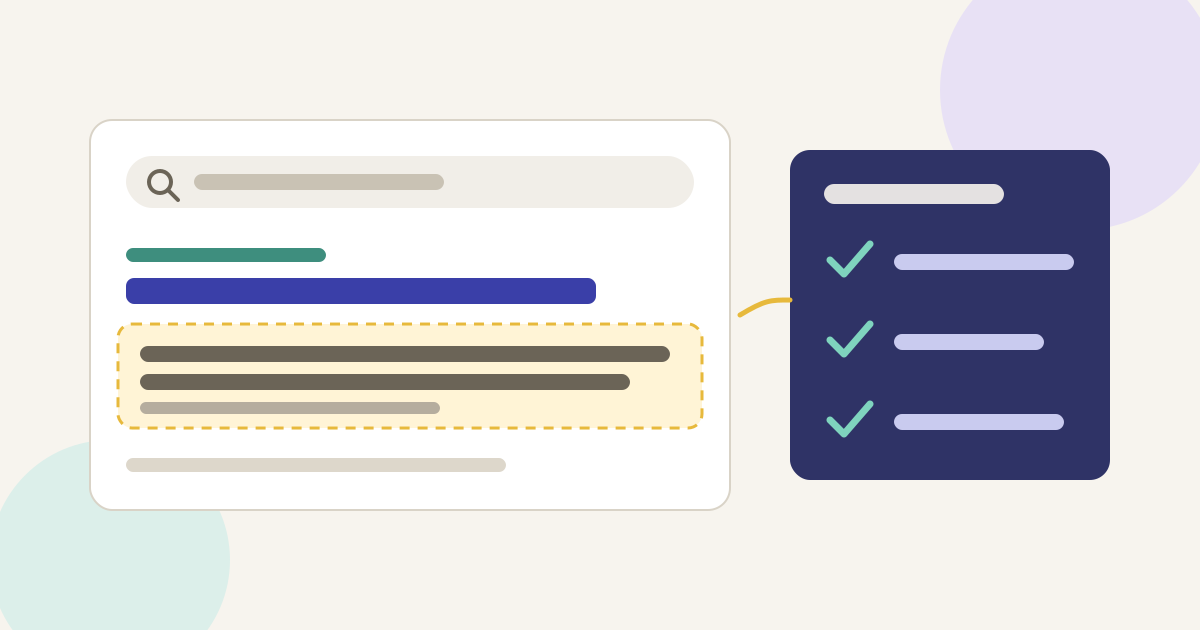
A good meta description is a one- or two-sentence summary that is unique to the page, tells the searcher exactly what they will find, and includes a concrete detail they cannot get from the title alone. Keep the most important words near the start, because Google trims the snippet to fit the screen. Write one by hand for your most important pages first. Google will still rewrite many of them, and that is normal.
What Google Says It Does With Your Description
Google's own documentation on snippets and meta descriptions is short and worth reading. Three points matter most:
- Snippets come mainly from the page itself. Google says it "primarily uses the content on the page to automatically determine the appropriate snippet." The meta description is used when Google thinks it "gives users a more accurate description" than the on-page text.
- The snippet depends on the search. Snippets are built to preview the part of the page that best relates to a user's query, so "Google Search might show different snippets for different searches." One page can show your description for one query and a paragraph from the body for another.
- There is no length limit, but there is truncation. Google states there is no limit on how long a meta description can be, but the snippet is cut "as needed, typically to fit the device width."
So the description is not a ranking lever and not a guaranteed display text. It is a suggestion. Your job is to make it the best suggestion available.
How Often Google Rewrites Descriptions
Quite often. In a study of first-page results, the agency Portent found that Google rewrote meta descriptions 71% of the time on mobile and 68% on desktop. That means a description was used as written only around 30% of the time. Portent also cites an earlier Ahrefs study that put the figure at 63% for pages in the top ten.
Two things are worth noting before you give up. First, the rewrite rate varies with the query: when someone searches a long, specific phrase, a single summary can't match every wording, so Google often pulls a better-matching passage from the body. Second, rewrites are not a penalty. If Google prefers a passage from your article, that passage is still your writing. The lesson is to write both a good description and a page whose key paragraphs could stand on their own as a snippet.
Why Google Ignores Some Descriptions
Google's guidance points to a few predictable reasons a description gets passed over:
- The same description on many pages. Google calls out identical or similar descriptions across a site as unhelpful. Template text like "Read our latest blog post about content writing" on every article gives Google nothing to work with.
- A list of keywords. Google's documentation specifically mentions descriptions that are just long strings of keywords as a poor practice. They read like spam to people, too.
- A description that does not match the page. If the article was updated and the description still promises "5 tips" when there are now nine, the page text is the more accurate summary.
- Too vague for the query. "Everything you need to know about newsletters" doesn't answer anything. A paragraph that answers the searcher's exact question is simply more useful.
A Simple Formula That Works
There is no official formula, but this three-part structure keeps descriptions specific and easy to write. Treat it as a starting point rather than a rule:
- What it is. Name the topic in plain words, ideally using the phrase people search for. "How to write meta descriptions" is clearer than "Snippet optimisation strategies."
- The concrete payoff. One specific thing the reader will get: a formula, a checklist, a worked example, a price range, a template. Specifics are what separate your result from the nine others.
- Who it is for, or a distinguishing detail. "For small blogs," "with examples," "updated for 2026," or a key fact. Only include a date or number if it is true and visible on the page.
Put the first two parts in the first 120 characters or so. Portent's data suggested that mobile snippets without a date start dropping off at around 120 displayable characters, which makes that a practical target for the part you most want seen. You can go longer; the extra text simply may not show on small screens.
Before and After Examples
Here is how the formula changes some typical descriptions. These are illustrative rewrites, not measured results.
A how-to blog post
Before: "In this post we will talk about email newsletters and some tips that can help you."
After: "How to write an email newsletter people open: subject line patterns, a five-part layout and a pre-send checklist for small teams."
A review page
Before: "Jasper AI review. Jasper AI pricing. Jasper AI features. Best AI writer."
After: "An honest look at Jasper for blog and marketing copy: what it does well, where it struggles, current plan options and who should skip it."
A category or index page
Before: "Blog."
After: "Practical guides on AI writing tools, SEO writing and content strategy, with step-by-step workflows you can use on a small site."
Notice what the rewrites have in common: plain language, a specific promise, no repetition, and nothing the page doesn't deliver.
Where to Focus If You Have Hundreds of Pages
Google acknowledges that hand-writing a description for every page is not always realistic. Its advice is to prioritise: at the very least, create descriptions for critical URLs such as your home page and popular pages. A sensible order for a small content site:
- Home page and main category or service pages.
- Your top 20 pages by impressions in Search Console. Open the Performance report, sort by impressions, and look for pages with a low click-through rate for their position. Those are the ones where a better description may change behaviour.
- New posts, as you publish them. It takes two minutes when the article is fresh in your head.
For large sites with structured content, such as product or listing pages, Google says programmatically generated descriptions can be appropriate, as long as they are built from the page's own data and are genuinely different from page to page. A store could build "Blue cotton kurta, sizes S to XXL, ships in 2 days" from real product fields. That is far better than one shared sentence.
Using AI to Draft Descriptions (Carefully)
AI writing tools are good at summarising, which makes them handy for a first draft of a meta description. They also tend to produce the same safe phrasing over and over: "Discover everything you need to know," "Unlock the secrets," "comprehensive guide." Those phrases add length and remove meaning.
If you use a tool, give it the article and the formula above, ask for three options under 155 characters, then edit. Check every claim against the page, cut the filler words, and make sure each description is different from the others on your site. Our AI content editing workflow covers this kind of human pass in more detail, and our guide to humanising AI content lists the phrases that make text sound machine-written.
Common Questions
Do meta descriptions affect rankings?
Google's documentation presents the meta description as a way to influence the snippet, not as a ranking signal. The value is in clicks: a clearer description can earn more visits from the same position.
What is the ideal length?
There is no official length, and Google truncates to fit the device. Aim to get the main message into roughly the first 120 characters, and keep the whole description to a natural one or two sentences.
Should I include my keyword?
Use the words a searcher would use, because that makes the description clearly relevant to them. Don't repeat the keyword or stuff in variations.
Can I stop Google from rewriting my description?
No. You can limit or block snippets with the nosnippet, max-snippet and data-nosnippet controls described in Google's documentation, but that restricts what can be shown; it doesn't force your description to appear. For most sites, blocking snippets would cost clicks.
A Quick Checklist
- Unique to this page, not shared with any other.
- Says what the page is, in the searcher's words.
- Includes one concrete, true detail from the page.
- Main message within about 120 characters.
- No keyword lists, hype words or promises the page doesn't keep.
- Updated whenever the article changes substantially.
Meta descriptions are a small part of on-page SEO, but they are one of the few places where you get to pitch the click in your own words. For the bigger picture of titles, headings and structure, start with our SEO content writing guide for beginners, and if you are writing for Google's newer AI results, see how to write content for AI Overviews and AI Mode.