
How to Write Alt Text for Images (SEO and Accessibility Examples)
What alt text is for, a simple decision process for every kind of image, six writing rules, and before-and-after examples for product photos, charts, screenshots and logos.
Alt text is one of those jobs that gets left to the very end. The article is written, the images are uploaded, the publish button is right there, and the alt field gets filled with the file name, the focus keyword, or nothing at all. It feels like a small thing. It is not.
For a reader using a screen reader, the alt text is the image. For a reader on a slow connection where images fail to load, it is the only clue to what should be there. And for Google, it is one of the main signals used to understand what an image shows and which searches it belongs in. This guide covers what alt text is for, how to decide what to write, and a set of before-and-after examples you can borrow the thinking from.
The Short Answer
Good alt text says what the image is showing in the context of this page, in one plain sentence or phrase. It is specific (not "chart" but "line chart of monthly visitors rising from 2,000 to 9,000"), it skips filler like "image of", and it never turns into a list of keywords. If an image is pure decoration, give it an empty alt attribute so screen readers skip it. If an image holds information that does not fit in a sentence, such as a detailed chart, put that information in the surrounding text as well.
What Alt Text Actually Does
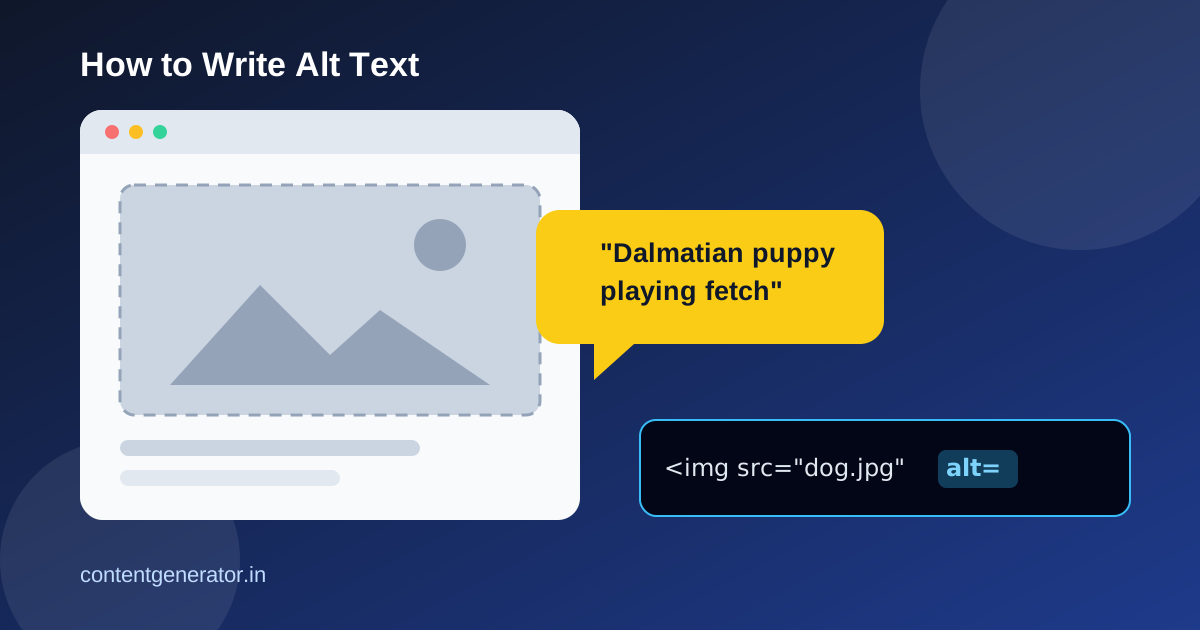
The alt attribute sits inside the HTML image tag: <img src="kitten.jpg" alt="Black kitten asleep on a laptop keyboard">. Most visitors never see it. It does three jobs at once:
- Accessibility. Screen readers read the alt text aloud in place of the image. Without it, many screen readers fall back to reading the file name, which is how a blind reader ends up hearing "IMG underscore 4 0 2 3 dot J P G".
- A fallback when images fail. If an image does not load, the browser can show the alt text in its place, so the reader still gets the point.
- Search understanding. Google's own image SEO documentation calls alt text the most important attribute for giving more information about an image. It says Google uses alt text together with computer vision and the content of the page to understand what an image is about, and that alt text also works as anchor text when an image is used as a link.
The same documentation warns against filling alt attributes with keywords, because it creates a poor experience and can make a site look spammy. Writing for the person who cannot see the image turns out to be the right approach for search too.
A Simple Decision Process
The W3C's Web Accessibility Initiative publishes an "alt decision tree" for exactly this question. Boiled down, it asks a few things in order:
- Does the image contain text? If the same text is already written nearby, the alt can be empty. If the text appears only in the image (a quote card, a styled heading, a screenshot of a key line), the alt should include that text.
- Is the image a link or a button? Then the alt should describe what the link does or where it goes, not what the picture looks like. A magnifying glass icon on a search button should have alt text like "Search", not "magnifying glass".
- Does the image add meaning to the page? If it is a simple photo or graphic, write a short description of what it shows in this context. If it is a chart or diagram with a lot of detail, give a short alt and put the full information in the page text.
- Is it pure decoration? Background flourishes, divider lines and mood images that add nothing get an empty alt, written as
alt="".
An empty alt is not the same as a missing alt. alt="" tells assistive technology to skip the image on purpose. Leaving the attribute out entirely leaves the screen reader guessing.
How to Write It: Six Rules That Cover Most Images
1. Describe the purpose, not just the pixels
The same photo can need different alt text on different pages. A photo of a woman holding a phone at a market stall could be "Shopkeeper scanning a UPI QR code to accept a payment" in a payments guide, and "Vegetable seller at a busy evening market" in a travel post. Ask why the image is on this page, then describe that.
2. Be specific
"Dog" is better than nothing. "Dalmatian puppy playing fetch" is the kind of example Google itself gives as the best version. Use specific nouns, one relevant detail, and an action if there is one.
3. Skip "image of" and "picture of"
Screen readers already announce that an element is an image, so starting with "image of" wastes the listener's time. The exception is when the medium matters: "Watercolour painting of…", "Screenshot of…" or "Illustration of…" can be genuinely useful.
4. Keep it short, but do not chop the meaning
There is no official character limit for alt text. A common practical habit is to keep most alt text to a single sentence of roughly 125 characters or less, because long alt text is tiring to listen to. Treat that as a guideline, not a rule. If an image needs more explanation, the page text or a caption is the better home for it.
5. Use the keyword only where it naturally fits
If the post is about cold brew coffee and the image shows cold brew being poured over ice, the alt text will contain "cold brew" on its own. That is fine. What is not fine is adding the focus keyword to every image on the page, including the author photo and the newsletter banner.
6. Do not repeat the caption word for word
If an image has a visible caption, a screen reader user hears both. Let the alt describe what is in the image and let the caption add context, credit or the takeaway.
Before and After: Everyday Examples
Here are the cases that come up most often on a typical blog or small business site.
A product photo on a shop page
- Weak:
alt="kurta" - Stuffed:
alt="cotton kurta buy cotton kurta online best kurta for men cheap kurta" - Better:
alt="Men's white cotton kurta with mandarin collar and wooden buttons, front view"
A chart in a report
- Weak:
alt="graph" - Better:
alt="Bar chart of email open rates by weekday, highest on Tuesday", with the full numbers in a table or paragraph below the chart.
A screenshot in a tutorial
- Weak:
alt="screenshot" - Better:
alt="WordPress image settings panel with the Alternative Text field highlighted"
A logo that links to the home page
- Weak:
alt="logo" - Better:
alt="ContentGenerator home", because the image is a link and the reader needs to know where it goes.
A decorative wave divider
- Weak:
alt="blue wave design element" - Better:
alt="". It adds nothing, so let screen readers skip it.
What About AI-Generated Alt Text?
Many content tools and CMS plugins can now write alt text automatically. They are handy for getting a first draft onto hundreds of old images that currently have none. They are weaker at the part that matters most: knowing why the image is on the page. A tool can tell you there is "a person holding a phone". It cannot know that the point of the image is to show the checkout screen of your app.
A sensible workflow is to let a tool draft alt text, then have a person check the images that carry meaning: product photos, charts, screenshots and anything used as a link. Decorative images can usually be set to empty without much review. It is the same principle as the rest of your content, covered in our AI content editing workflow: the machine drafts, a human decides.
Where Alt Text Fits With the Rest of On-Page SEO
Alt text is one part of describing a page clearly. Google's image guidance also points to descriptive file names (it gives my-new-black-kitten.jpg as better than IMG00023.JPG), placing images near relevant text, and making sure the page itself is about the same subject as the image. The same thinking applies to the text people see in search results, which we cover in how to write title tags and how to write meta descriptions.
If you are newer to all of this, our SEO content writing guide for beginners puts these pieces in order. And if you are thinking about how pages get summarised in Google's AI features, clear and well-labelled images and text help there too; see how to write content for AI Overviews.
A 20-Minute Alt Text Audit
You do not need to fix every image on your site at once. Start with the pages that matter most.
- Pick your top 10 pages by traffic or sales.
- Find the images. In Chrome, right-click an image and choose Inspect to see its
altattribute. The accessibility checks in browser developer tools, and many free extensions, can list every image on a page with its alt text. - Sort each image into one of three groups: meaningful (needs a good description), functional (a link or button, so describe the action) or decorative (should be empty).
- Rewrite the weak ones using the rules above. Fix missing alt attributes first, then keyword-stuffed ones, then vague ones.
- Change your process so new posts cannot go out with an empty alt field on a meaningful image. A required field in your CMS or one line on a pre-publish checklist is enough.
Then try the simplest test there is: close your eyes and have someone read the page to you, saying only the alt text where each image appears. If you would still understand the page, the alt text is doing its job.
Frequently Asked Questions
Does alt text help SEO?
Yes. Google says it uses alt text, along with computer vision and the page content, to understand the subject of an image, which helps images show up in Google Images and other search features. It is not a shortcut to ranking a page, but missing or poor alt text gives Google less to work with.
How long should alt text be?
There is no official limit. Most good alt text is one short sentence. If you need several sentences, the information probably belongs in the page text or a caption instead.
Should every image have alt text?
Every image should have an alt attribute, but not every image needs words in it. Decorative images should use an empty alt (alt="") so screen readers skip them.
Is the image title attribute the same as alt text?
No. The title attribute usually appears as a tooltip on hover and is not reliably read by screen readers. Do not rely on it to describe an image; use the alt attribute.
Sources: Google Search Central, "Google image SEO best practices" (last updated March 2026); W3C Web Accessibility Initiative, "An alt Decision Tree" and the Images Tutorial.